

GitOps makes a cluster feel disposable. Everything ArgoCD deploys is in Git, so if the cluster dies, rebuild it and let ArgoCD put everything back. That’s mostly true, and the parts where it isn’t are exactly what a disaster recovery plan is for.
Project Aether has five written recovery scenarios. Writing them was the easy part. Green Is Not a Status covered the backups that reported success while failing, and part 12 covered a real cold start. This post is about the plans themselves: what each one has actually proven in a drill, with numbers, and what is still only a document.
The scorecard #
Every target below is published on the public status page, next to what a drill proved and the age of the newest backup, read live. The source is a small file in the repo that keeps me honest:
# "proven" is what a drill or real recovery measured, with
# its date; leave it empty until something has been measured.
components:
  - name: Kubernetes cluster
    rto: 30 min
    rpo: 24 h
    proven: "Restore from the offsite copy, 10 Nov 2026: API ready 54 s after reset; in-place reset about 18 min"
“Leave it empty until something has been measured” is the rule that matters. Here’s where each component stands:
| Component | Target RTO / RPO | Proven by a drill | Not proven yet |
|---|---|---|---|
| K3s cluster | 30 min / 24 h | Cold restore from offsite: API ready 54 s after reset. In-place reset: about 18 min | Rebuilding on new hardware, end to end |
| Apps on the cluster | 30 min / 24 h | 4 databases loaded and matched in 22 s. After the power cut: 120 tables matched | |
| Apps on the cloud host | 45 min / 24 h | One app restored: 972 MiB in 11 s, 176 tables and 39,599 rows matched live | Rebuilding the whole instance |
| DMZ observer | 15 min + data / 24 h | Monitor data restored from its bucket and checked | Rebuilding the VM, timed |
| Secrets access | 15 min / nothing lost | The second decryption key checked | |
| Terraform state | 10 min / nothing lost | Nothing drilled yet, so the field stays empty |
Disposable cluster, precious state #
Git holds everything ArgoCD deploys. It doesn’t hold four things a rebuilt cluster needs:
- etcd itself, which has every Secret, including the age key ArgoCD uses to decrypt the rest (how that works), and the cluster’s own identity.
- The K3s server token. A snapshot can’t be restored onto a new server without it. It’s now escrowed in SOPS, and fresh installs are seeded from it.
- App data: databases and files. That’s the nightly dump and snapshot from ADR-022.
- The keys to decrypt all of the above, which live outside the homelab on purpose.
So the cluster really is disposable, but only because these four are carried out every night along the backup paths below.
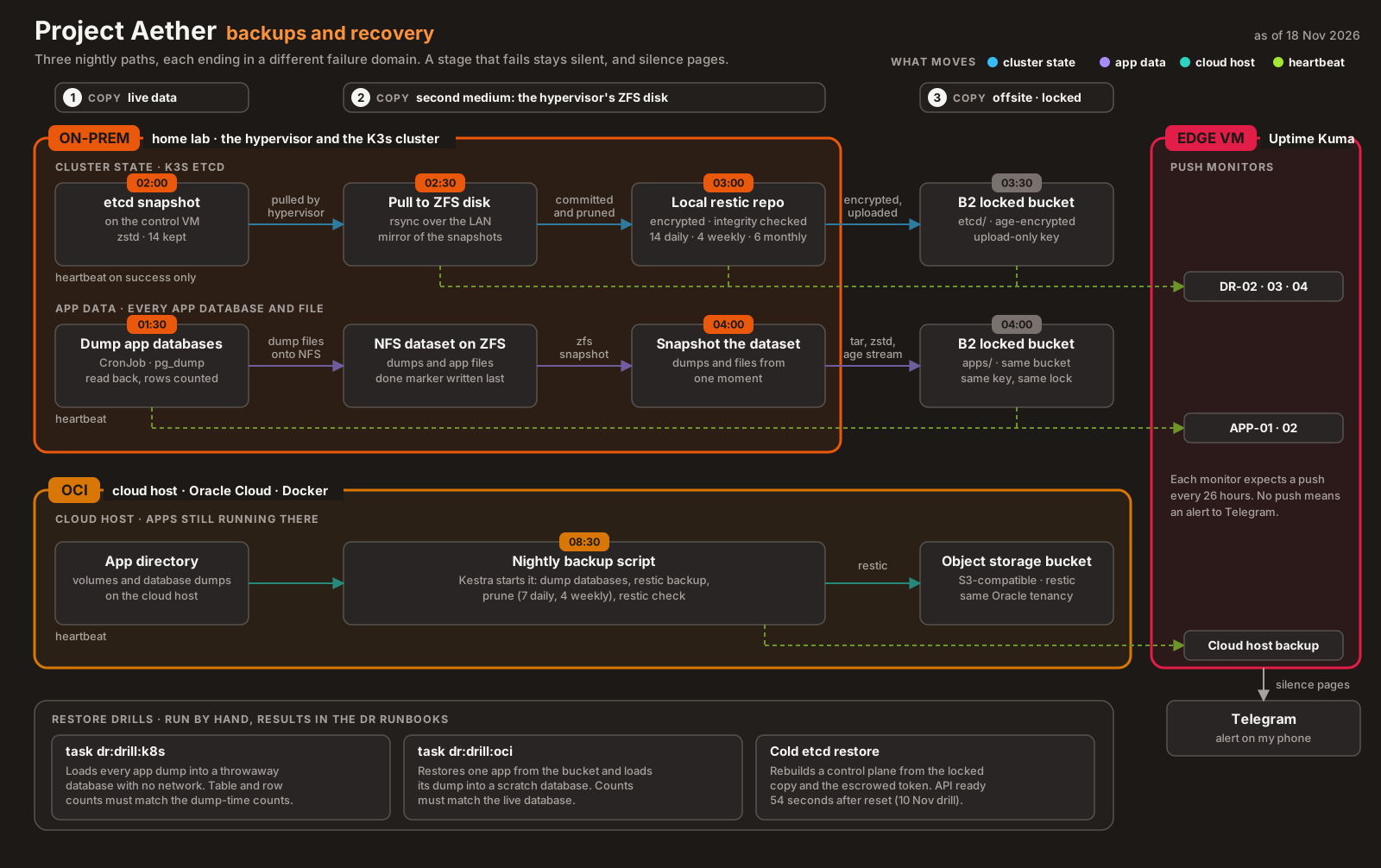
Drill 1: a cold restore from the offsite copy #
The worst case for the cluster is losing the laptop. The plan for that starts from the offsite copy, so that’s where the drill started (Scenario 03, 10 November).
It restored the latest offsite snapshot into a K3s container with no network route out and the agent disabled, so nothing could touch the real cluster. The fetch took about a minute and a half. From the cluster reset to a ready API took 54 seconds. All three original nodes, all 16 ArgoCD Applications and the SOPS age key were there.
Two details from that drill changed how I read the results:
- The nodes showed
Ready. That’s the status stored in the snapshot, not a live check. With no agents running, nothing renews it, and the node controller marks themNotReadyafter its grace period. A restored cluster tells you what it looked like at snapshot time. - A negative control. The same restore with the wrong token failed with
bootstrap data already found and encrypted with different token. Without that, a “successful” restore could have meant the drill wasn’t testing what I thought.
Recording the drill also fixed the runbook’s install step, which was missing flags the real control plane uses. Ansible skips the K3s install once the binary exists, so a flag left out at that step is never added later, and without --disable traefik --disable servicelb a fresh server deploys both on first start. The runbook now repeats the exact flags from the Ansible playbook.
The same day, Secrets were encrypted at rest in etcd, and the restore was drilled again. The encryption key travels inside the snapshot’s token-encrypted bootstrap data, so the escrowed token is still the only extra thing a restore needs. The re-drill read the age key back intact.
Drill 2: an in-place reset #
The more likely failure is a broken cluster on working hardware. The in-place reset drill measured about 18 minutes. It also found a limit nobody had tested: the MetalLB controller was OOMKilled in the reconnect storm and had to go from 64 to 128 Mi. That story is in part 17.
The offsite copy root can’t delete #
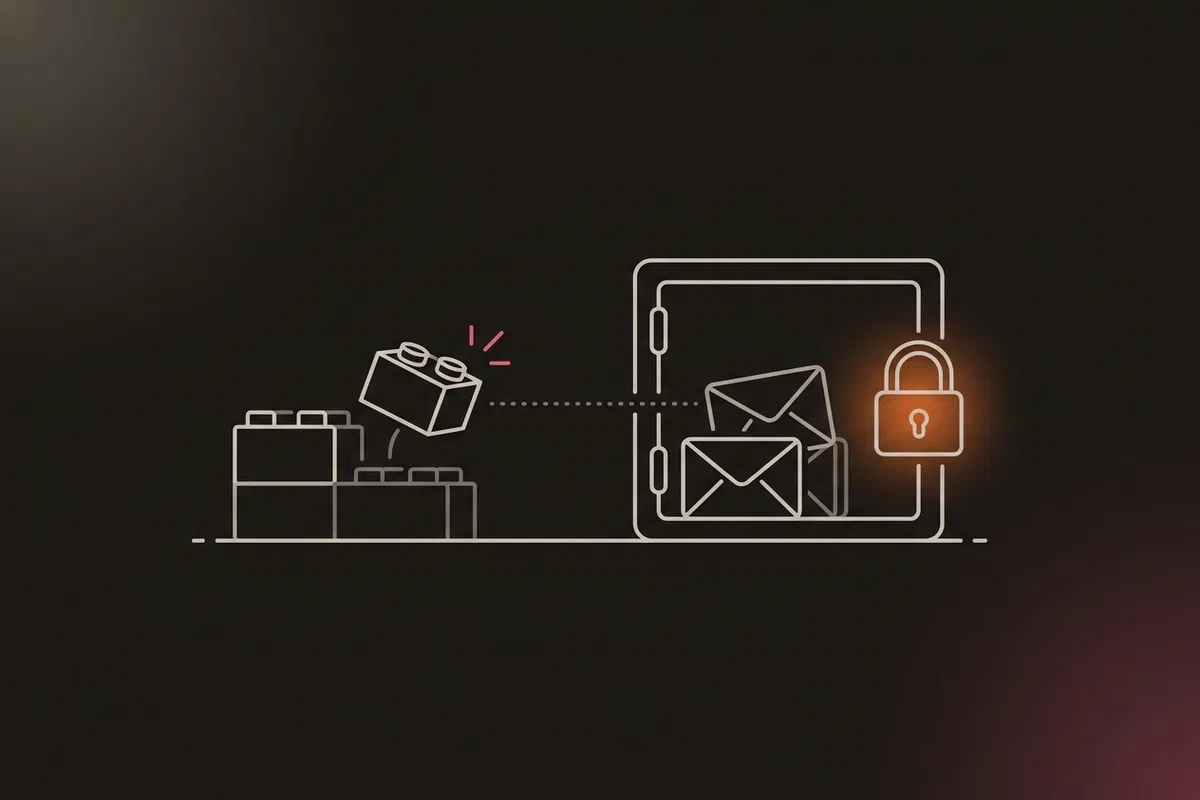
A backup the homelab can delete isn’t protection against anything that takes over the homelab. Until 10 November, the hypervisor’s key could delete anything in the offsite bucket (ADR-018 addendum).
The obvious fix, turning on Object Lock for the restic repository, doesn’t work. B2 locks each object for a fixed time from its upload. Restic writes its config, keys and most data packs once and then only references them, so after 30 days those objects are unlocked again. Losing the keys/ objects alone makes the whole repository unreadable.
So the offsite copy changed shape instead:
- One object per night. The hypervisor encrypts the newest etcd snapshot with
ageand uploads it as a standalone object. Each one is locked for 30 days, so every copy is protected completely. - Upload-only. The hypervisor’s key can list and upload, nothing else. Deleting a locked version is refused, even with the bypass flag.
- Write-only encryption. The hypervisor holds only the age public key, so it can’t read back what it uploads. The private key is escrowed in SOPS, and restores use a separate read-only key.
The app data from ADR-022 now goes into the same bucket the same way. Nothing in the homelab can read, delete or shorten the lock on what it uploads.
Drills 3 and 4: data and secrets #
App data is checked row by row, not by exit code. The cloud-host drill restores one app to a scratch directory, loads its dump into a throwaway database and compares every table with the live one: 972 MiB restored in 11 seconds, 176 tables and 39,599 rows matched. The cluster drill loads every app database into a PostgreSQL pod with no network and compares row counts with the ones recorded at dump time. After the power cut it passed with 4 databases and 120 tables.
Secrets have two ways in. Every SOPS file is encrypted to an age key and to a Google Cloud KMS key. On 3 November both were checked. Losing my workstation’s age key is a 15-minute problem, not a lost cluster.
What isn’t proven yet #
The DR README has a “known gaps” section, and these are the ones that matter most:
- No end-to-end hardware rebuild. The cold-restore drill covered the restore, not reinstalling Proxmox, the storage and the VMs. The target says “rebuild time plus about 3 minutes”, and the rebuild time is unmeasured.
- The cloud host’s backups aren’t offsite. They’re in the same Oracle Cloud tenancy as the instance. Losing the tenancy means losing both.
- No timed rebuilds of the cloud host or the DMZ observer, only restores of their data.
- No runbooks yet for losing the Google Cloud project (state, KMS and the observer all live there), the Oracle tenancy, my workstation or the GitHub repository.
None of these is hidden. They’re in the same repo as the plans, and the status page shows an empty “proven” field wherever nothing has been measured.
What I learned #
- A recovery plan is a claim until a drill measures it. Publish the measurement next to the target, and leave it blank when there isn’t one. (objectives.yml)
- Run a negative control. A restore that also succeeds with the wrong key isn’t testing the key. (Scenario 03)
- A restored status isn’t a live status. Nodes restored from a snapshot report the state they had when it was taken.
- Object Lock protects objects, not repositories. Lock standalone copies; a locked bucket full of restic packs protects only the last 30 days of uploads. (ADR-018 addendum)
- The machine that writes the backup shouldn’t be able to read or delete it. Upload-only keys and public-key encryption keep a compromised host from touching its own history.
Architecture takeaways #
Why GitOps doesn’t replace etcd backups #
GitOps stores desired state: the manifests in Git. etcd stores actual state: every object the API server knows, including Secrets created at runtime, the cluster’s certificates and identity, and the decryption key ArgoCD itself needs to render the encrypted parts of Git. A cluster rebuilt from Git alone can’t decrypt its own secrets and doesn’t know who it is. Backing up etcd is what lets “rebuild from Git” actually finish.
Why etcd wants a fast local disk #
etcd is a Raft log: every write is appended and fsynced to disk before it’s acknowledged, and the leader sends heartbeats on a tight timer. Slow fsync delays both, and on a busy cluster that turns into missed heartbeats, leader elections and a stalled API. That’s why etcd here lives on the control VM’s SSD and never on the NFS dataset, which holds app files only. The backups move etcd’s data somewhere slower and safer after the fact, with a snapshot, not by putting etcd there.
Why a snapshot, not a copy of the data directory #
Copying etcd’s data directory while it runs captures files mid-write, and the result may not open. k3s etcd-snapshot save asks etcd for a consistent point-in-time image of its state. That snapshot is what every later stage carries, and what the drills restore.
Previous: Sizing Kubernetes on a 12 GB Laptop · All posts in the series